Your download has started.
wsp is not signed by Apple yet, so the first time you open it, macOS asks you to allow it. Five steps, about a minute. Download again if nothing started.
Open wsp-mac.dmg from your Downloads, then drag wsp onto the Applications folder.
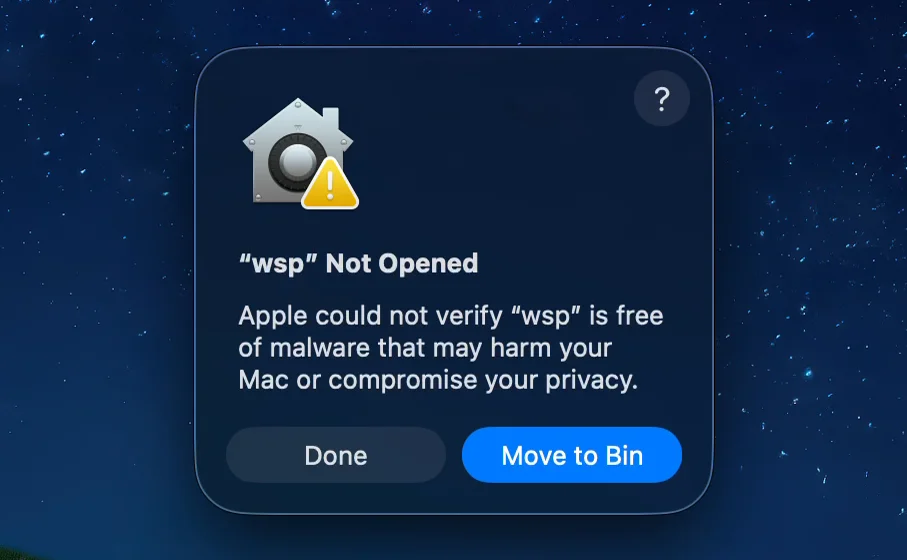
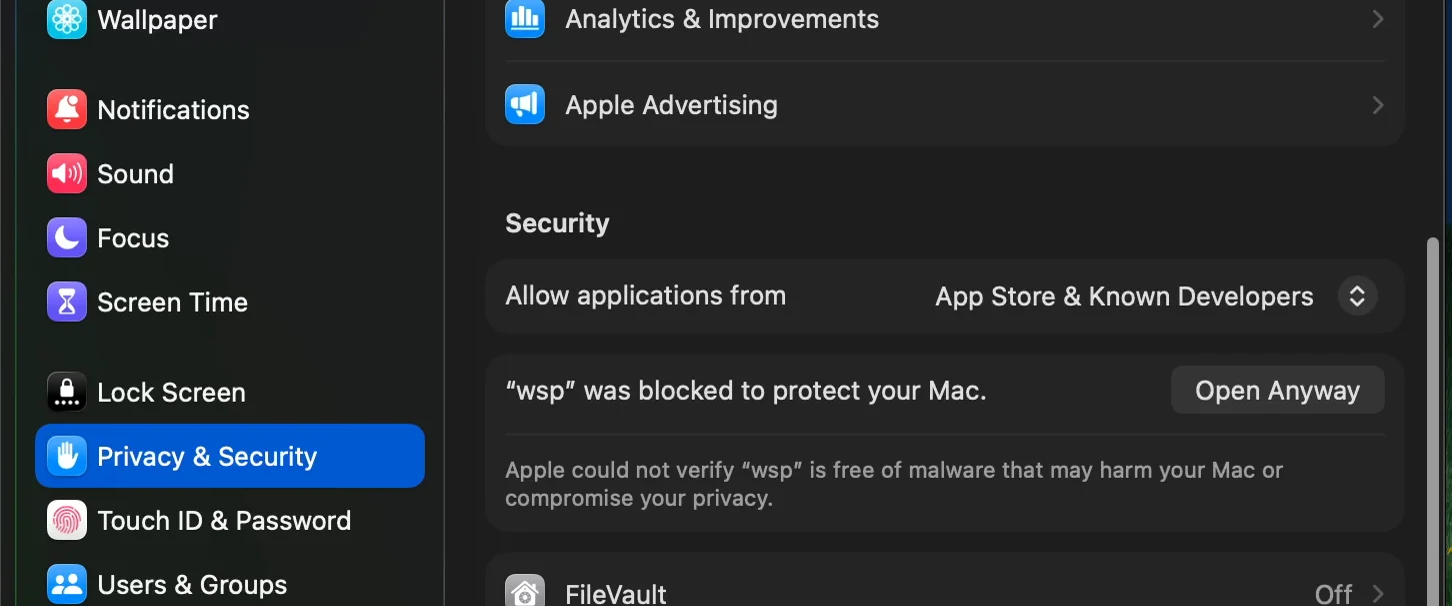
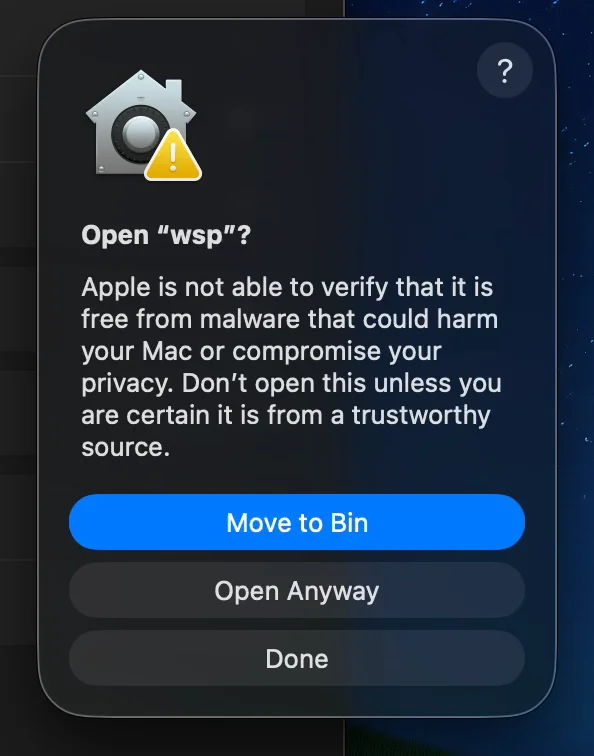
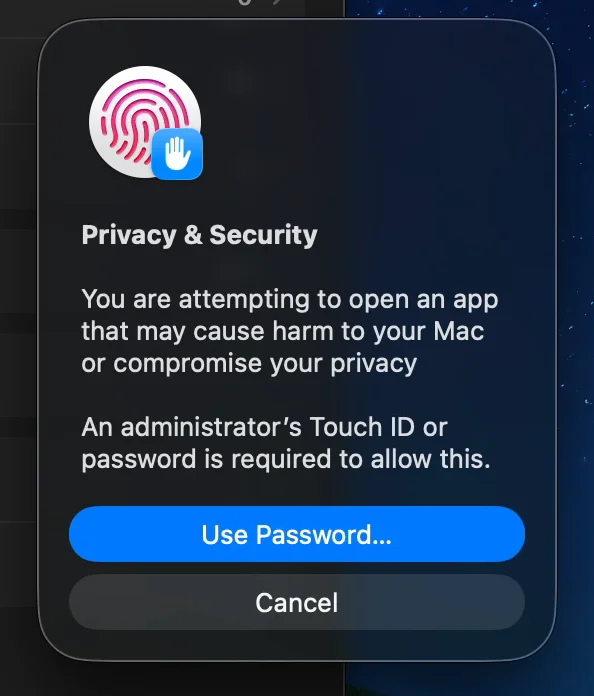
Step 1 of 5
Rather skip all this?
Paste this line into Terminal. It installs the same app with no prompts, and adds the wsp command.