What wsp is
wsp runs coding agents on every computer you own. You run Claude Code, Codex and more on the computer you sit at, an old laptop or a server you rent, all from one window. The agents can start each other on any of those computers.
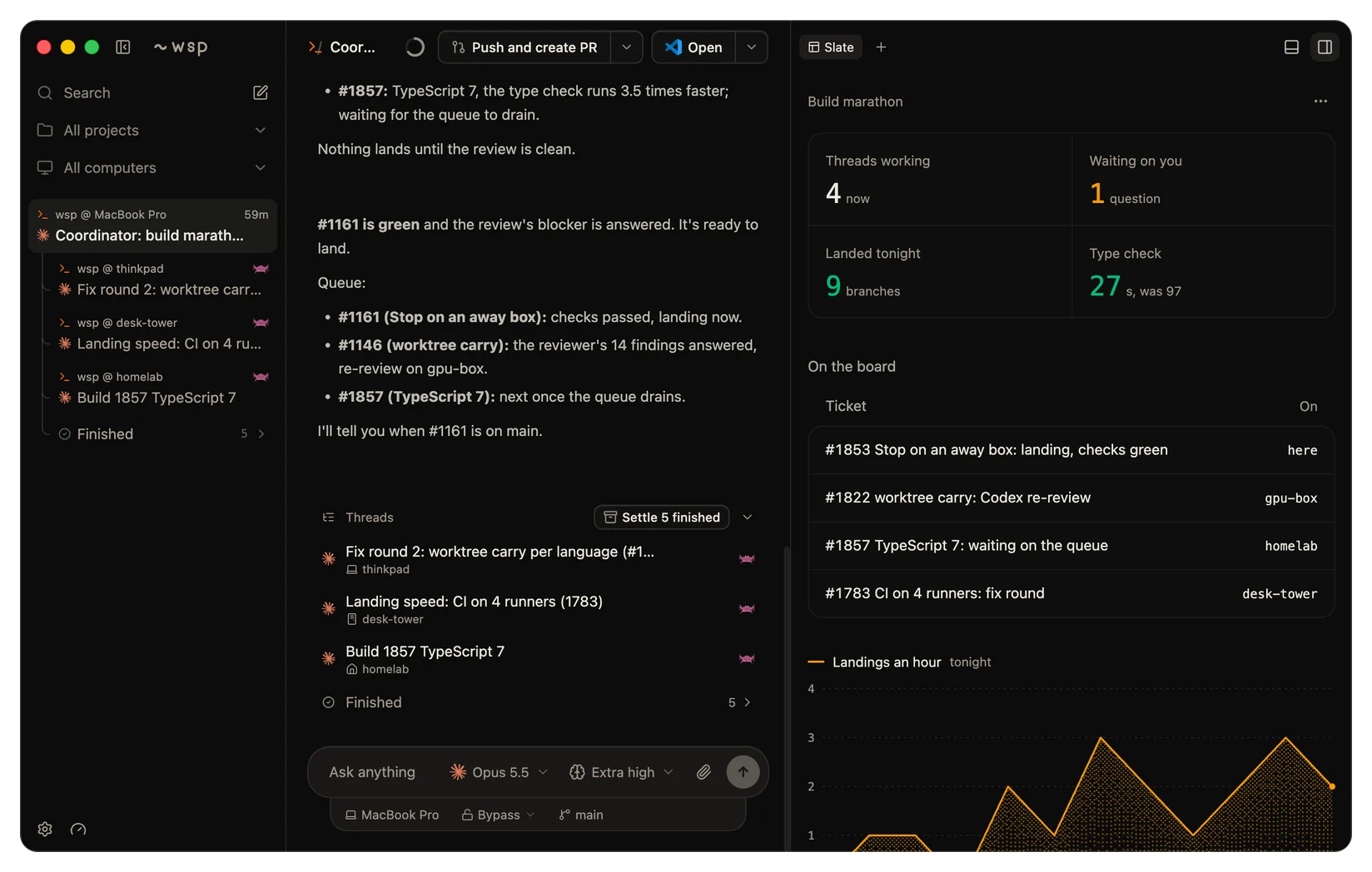
Threads run on the agents you already pay for
wsp runs Claude Code, Codex, OpenCode and Cursor. Claude Code, Codex and Cursor use the subscription that they are signed in to, so they need no API key. OpenCode uses a key from the model provider you pick.
Your agents hand work to each other
A Claude Code thread can start a Codex thread to review its branch, on your computer or on another computer. When the Codex thread is done, the Claude Code thread reads what it found. Every agent gets the same tools, so every agent can start threads. Each of those threads is in your sidebar. Leads and sub-threads tells you more.
Add a computer, and your setup comes with it
You point wsp at a Linux computer that you can reach over SSH. You pick what goes on it, and the computer joins your sidebar, ready for threads. You can copy these items from your computer:
- Your coding agents, signed in. You copy your key over or you sign in again on the new computer.
- The MCP servers that your agents call, with their sign-ins.
- Command line tools. One click picks the tools that your agents ran on your computer.
- Skills and plugins, so a skill does the same job on both computers.
- Your GitHub sign-in: the token from your computer, or a new sign-in on the other computer.
- Your repos, cloned with the name, icon and color that you gave each one.
- Your git name and email, your shell prompt, your tmux configuration and your other git and shell settings.
A computer behind a firewall can dial out to you instead. Then no port on it has to be open. Computers behind a firewall tells you more. Add your first computer shows the steps for a computer that you reach over SSH.
A slate in every thread
The slate is a panel beside the thread. The agent builds it and keeps it current: checklists, live numbers, charts, forms and buttons. When you press a button on the slate, the agent reads what you pressed. A slate can refresh its numbers every minute and spend no turn to do it. The slate tells you more.
Everything around the thread
- The terminal pane reads your Ghostty configuration, so the font, the colors and the transparency are yours. This is also true on your other computers.
- On a Mac, VS Code, Cursor, Zed or a JetBrains IDE opens the thread's folder. When the folder is on another computer, VS Code, Cursor and Zed open it over SSH. A JetBrains IDE opens only folders that are on the Mac. On Linux, wsp does not open an editor yet.
- The pull request pane shows checks and reviews, and you merge from it. One press sends a failed check back to the agent.
- The Agents pane shows which agents are signed in on which computer. You sign an agent in from the same pane.
- The browser pane shows the page that the thread builds, next to the thread.
The words
| Word | What it means |
|---|---|
| Project | A repo or a folder on one computer that threads run in. |
| Thread | One conversation with an agent, one row in the sidebar. |
| Lead | The thread at the top of a tree. It started the other threads in that tree. |
| Computer | A real computer that you own or sit at, named by its own name. |
Questions
- Do I need API keys? Not for Claude Code, Codex and Cursor. They use the subscriptions that they are already signed in to. OpenCode uses a key from the model provider you pick.
- Which agents does it run? Claude Code, Codex, OpenCode and Cursor. A thread can use any of them, and one thread can start another thread on a different agent.
- Which computers? The Mac or the Linux computer that runs the app. Also any Linux computer that you can reach over SSH or that can dial out to you. That includes a server you rent, an old laptop and a desktop under the desk.
- Does my code go through your servers? Only if you turn on the relay. Threads run on your computers, and the app reaches them over your own network or SSH. If you link the relay to reach a computer from anywhere, that connection goes through Cloudflare, which can read it on the way. Only your own network or SSH keeps Cloudflare out. If you run your own relay, no third party holds the relay account, but the connection still goes through Cloudflare.
- What does it cost? Nothing. wsp is free and open source.
