Slate
A slate is a panel beside a thread that the agent builds and keeps current. It holds checklists, live numbers, charts, forms and buttons. You press a button or fill in a field, and the agent reads what you did.
Status updates fill up a chat, and a separate file means another window. A slate keeps that work in one place beside the thread.
Open the slate
The Slate tab is in the right panel. To open it, click Add a panel, the + at the top of the right panel, and pick Slate. If the right panel is empty, it has no +. Click the pane in the list the empty panel shows instead. In that menu or that list, S picks it too.
The tab opens by itself the first time the agent writes a slate for the thread. After that, it stays where you put it. When a turn changes the slate, the line Updated the slate shows under the agent's reply. Click it to open the tab.
If the thread has no slate yet, the tab says "Nothing here yet". Click Ask for one to start a message that asks for a slate. Finish the sentence and send it.
Each thread has one slate. A thread that another thread started has no slate. It tells its lead what to show, and the lead puts it on its own slate.
Five examples
These are the five slates on usewsp.com.
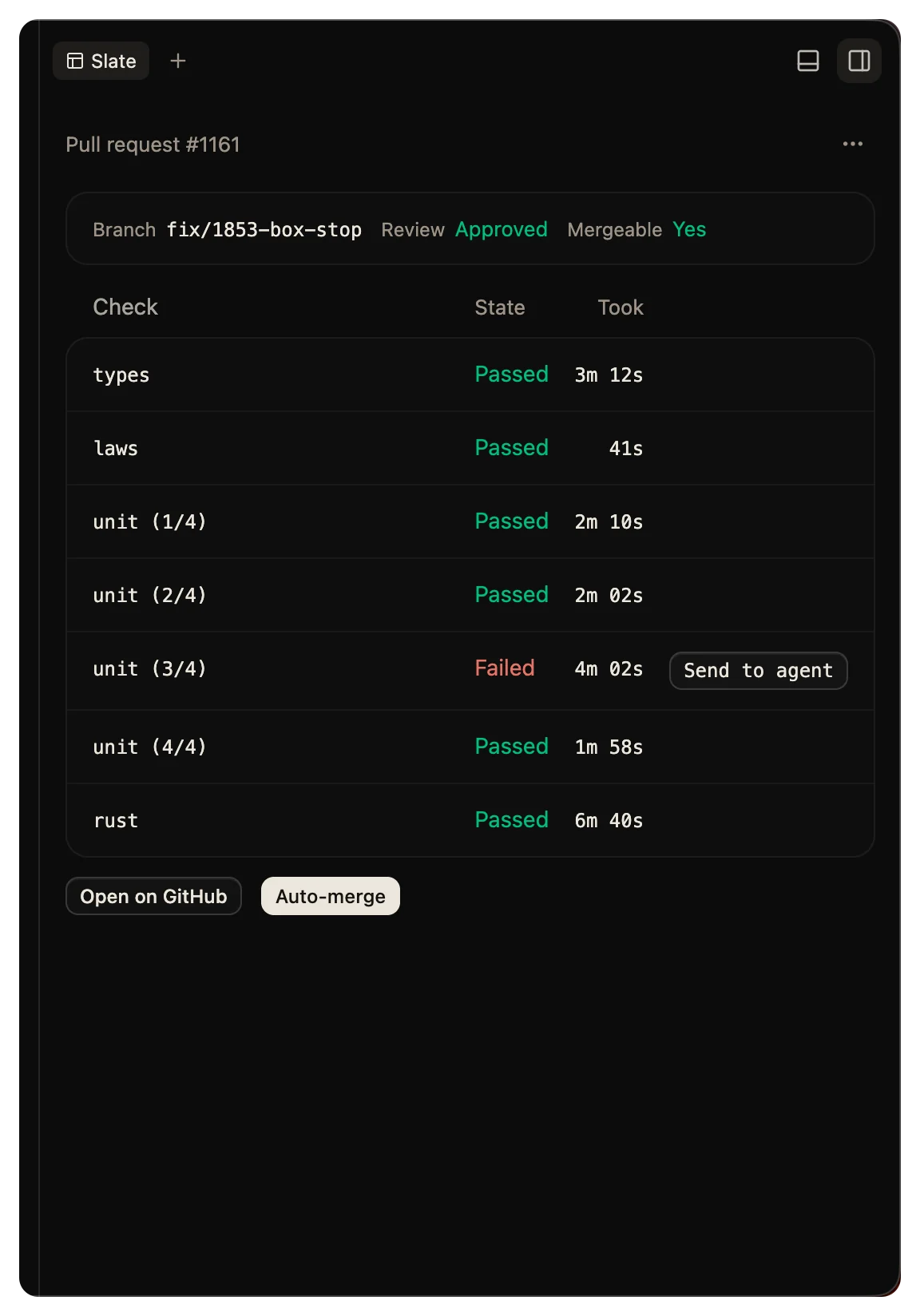
A pull request
The checks show as they finish. A failed check goes back to the agent in one press.
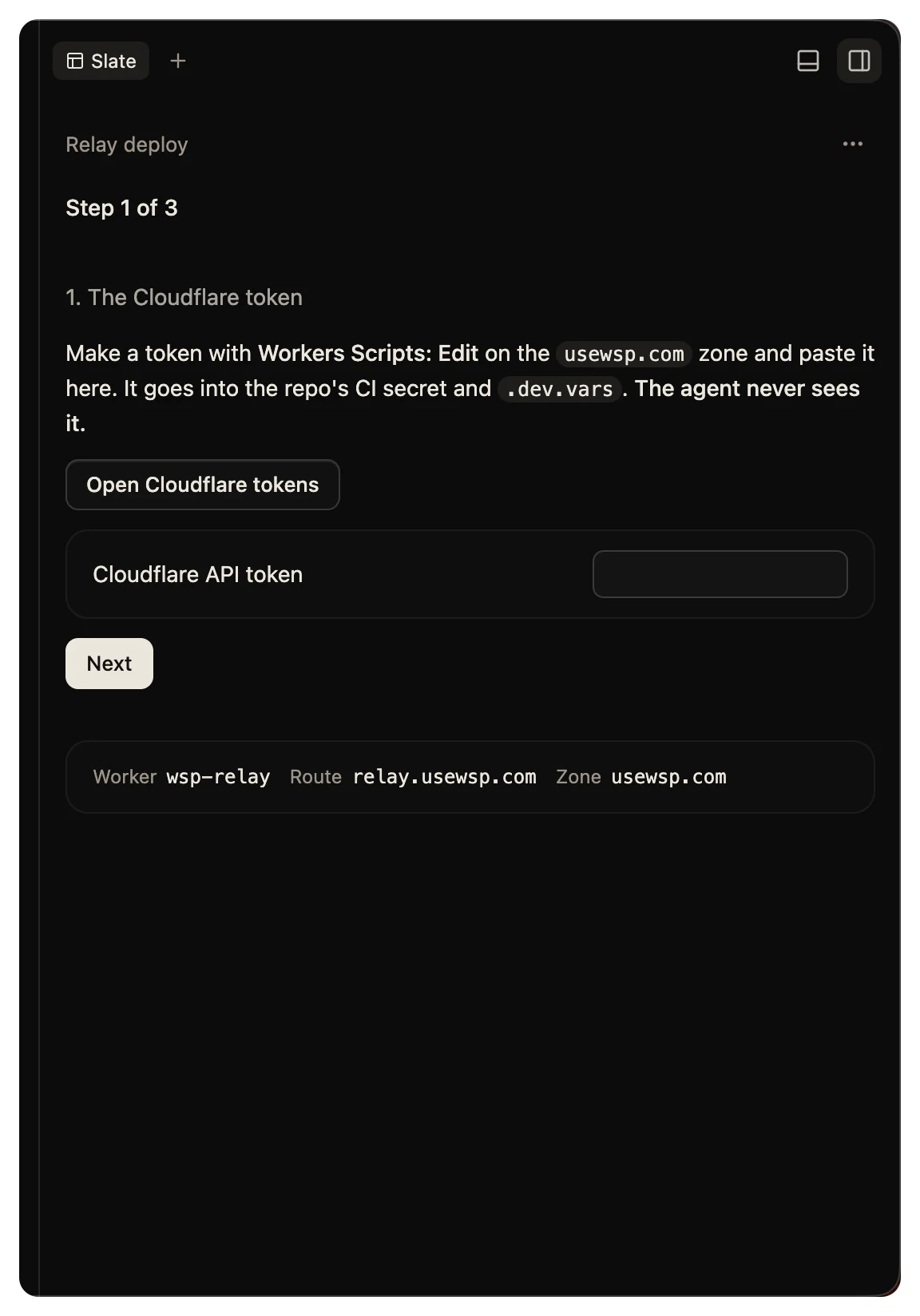
A deploy setup
A walkthrough for a deploy, with a field for a token. The agent never sees the token. In this example, the slate writes it into .env.
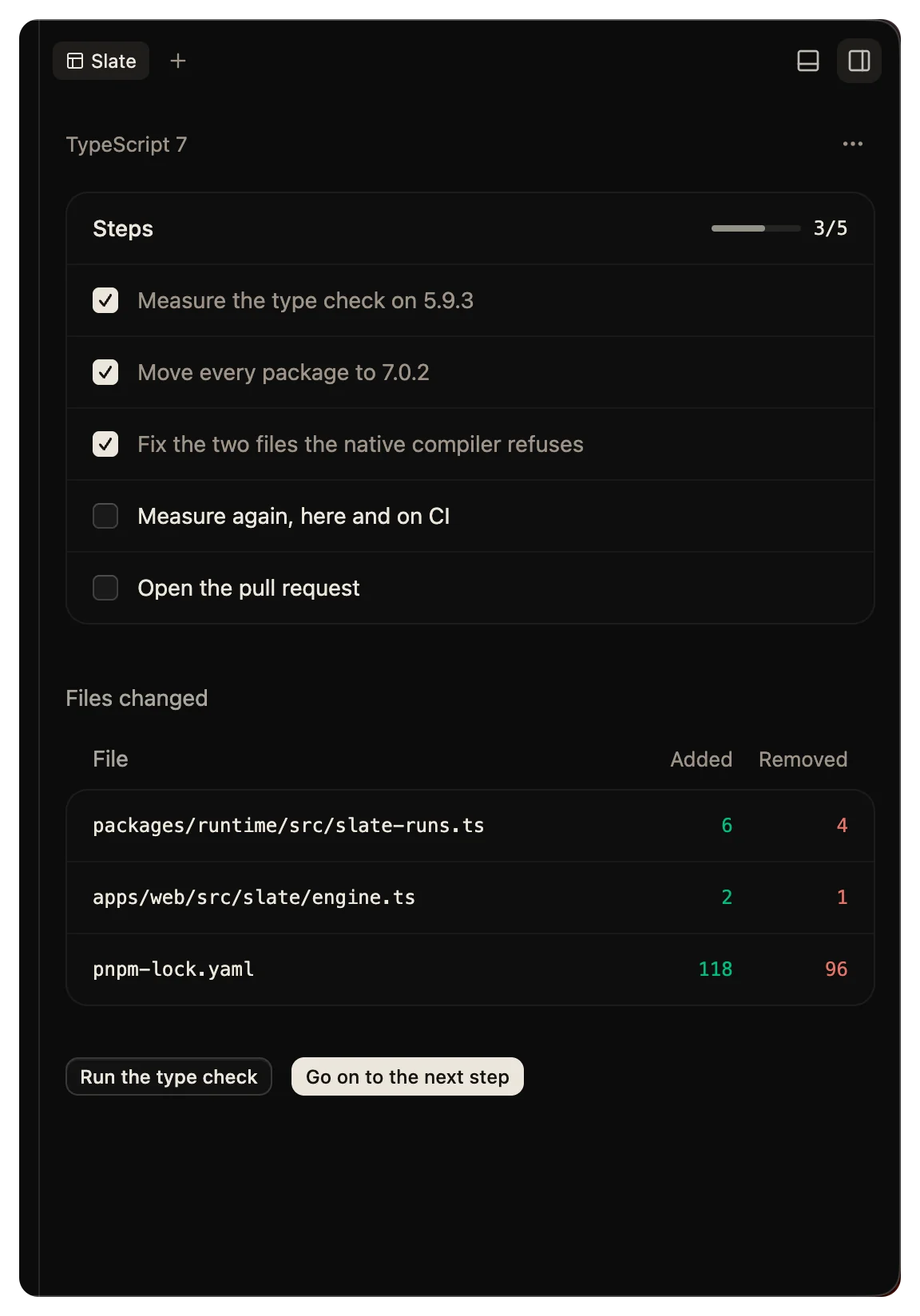
A long fix
The plan as a checklist that you can edit, with the files the work changed and a button to go on.
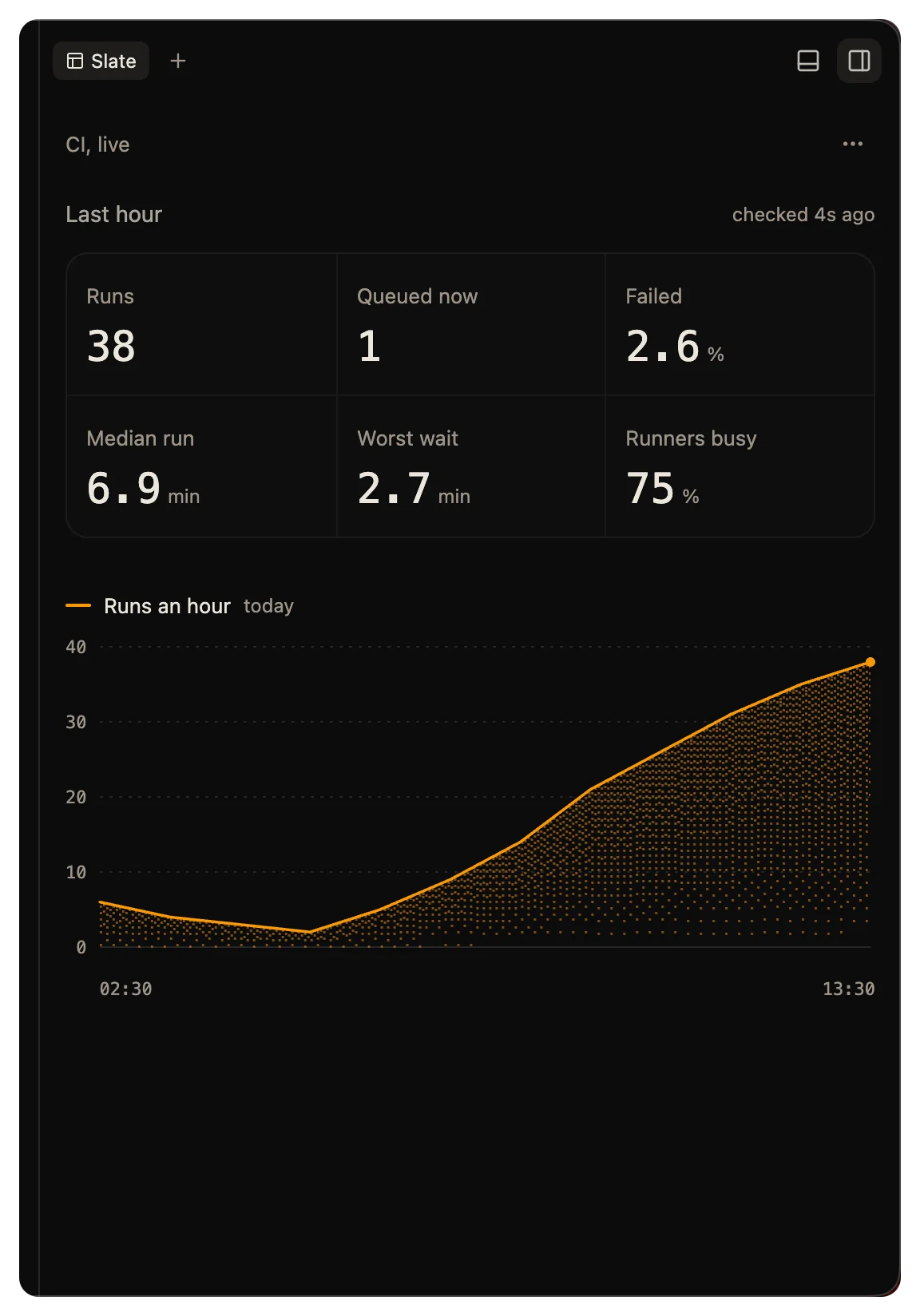
Live numbers
Traffic that refreshes every minute. A refresh runs a command, not a turn, so it costs no tokens.
Explain it
A diagram that the agent drew to answer a question about the code.
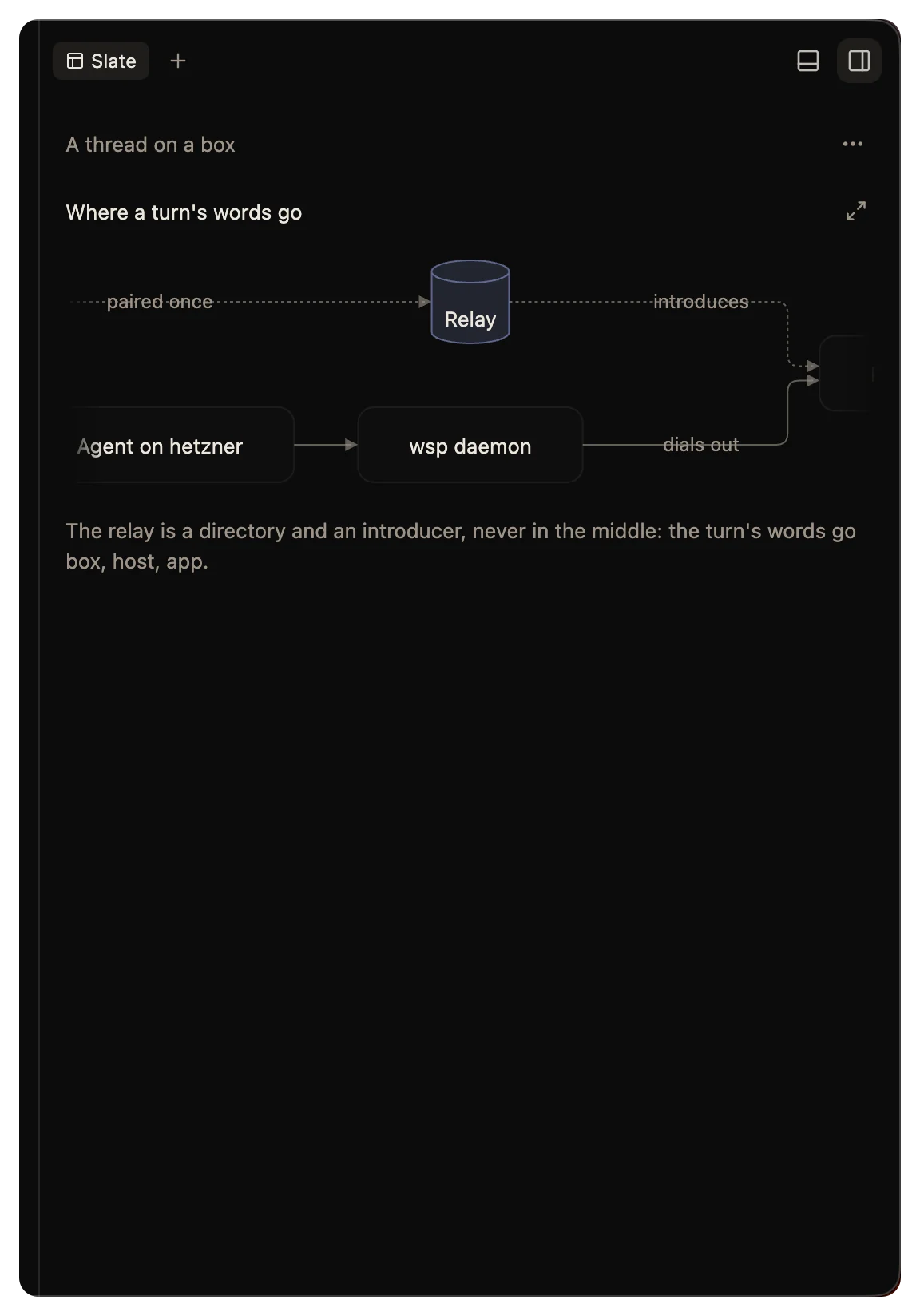
Commands a slate runs
A slate gets its live values from commands. A command runs with bash in the thread's folder, on the computer the thread runs on. The agent can also mark a command to run on the computer that runs wsp instead. It reaches what the agent reaches: your files, your command line tools and your MCP servers.
A command can run again on a timer, every 10 seconds at the least. A timer ticks only while the slate is on screen, unless the agent marks the command to tick when the tab is hidden too. A command stops after 60 seconds by default, and after 600 seconds at most.
Allow a command
A command waits for your yes the first time it wants to run. The slate shows Run this command? with the command and how often it runs. Pick one:
- Don't keeps it from running.
- Run once runs it this time and asks again next time.
- Always in this thread runs it from now on. The agent can then start it too.
The command can read anything you can read, so read it before you allow it. If the command runs on the computer that runs wsp, the slate also asks again when a script that the command names changes. If the command runs on a computer you added, it does not. wsp cannot read that computer's files to see the change.
To take back a yes, open the slate's menu, click Approvals, and click Revoke beside the command.
Secrets
A field for a token, a key or a password is a secret field. What you type there goes to the command that needs it and never to the agent or the chat. Output that holds the secret shows with the secret hidden.
To forget the secrets a slate kept, open its menu and click Forget secrets. The slate asks you to type them again the next time it needs them.
How the agent hears you
A button that sends puts one message into the thread. The message holds the text that the agent wrote for the button. Under it, a slate: line holds the button's label and the values that the button names. Other values do not go with it. Other presses and fields change the slate only. The agent reads them when it next reads the slate.
The slate menu
The menu at the top of the slate has these items:
- Undo vN, for example Undo v3, takes back version N of the slate.
- Clear empties the slate.
- Stop runs stops every command that runs. It shows only when the slate has commands.
- Forget secrets shows only when the slate kept a secret.
- Approvals lists the commands you allowed or refused in this thread. A refused one says Refused.
- Copy as text copies the slate's words.
What stays and what goes
The slate's values and each command's last result stay after you restart the app or wsp. A command that was running when wsp stopped does not start again by itself.
When you rewind a thread, its slate goes back to how it stood at the reply you picked. Your approvals and secrets stay. Undo rewind does not bring the slate back. Deleting a thread deletes its slate.
Limits
A slate holds up to 300 pieces and 64 KB of text. It runs up to 16 commands, with 4 running at once.
Build a slate from your agent
Any agent that has the wsp tools can build a slate: Claude Code, Codex and the rest. It uses four tools: slate_catalog, slate_write, slate_state and slate_read. The command line has the same four, under wsp slate. The Slate catalog lists every piece a slate can hold.
