Usage
Settings > Usage shows the tokens your agents used and what they cost at list price. You can split them by agent, account, computer, project or model. It also shows how much of each plan's limits your accounts have left.
The page has two tabs, Usage and Limits. They are two answers, and wsp never adds them together.
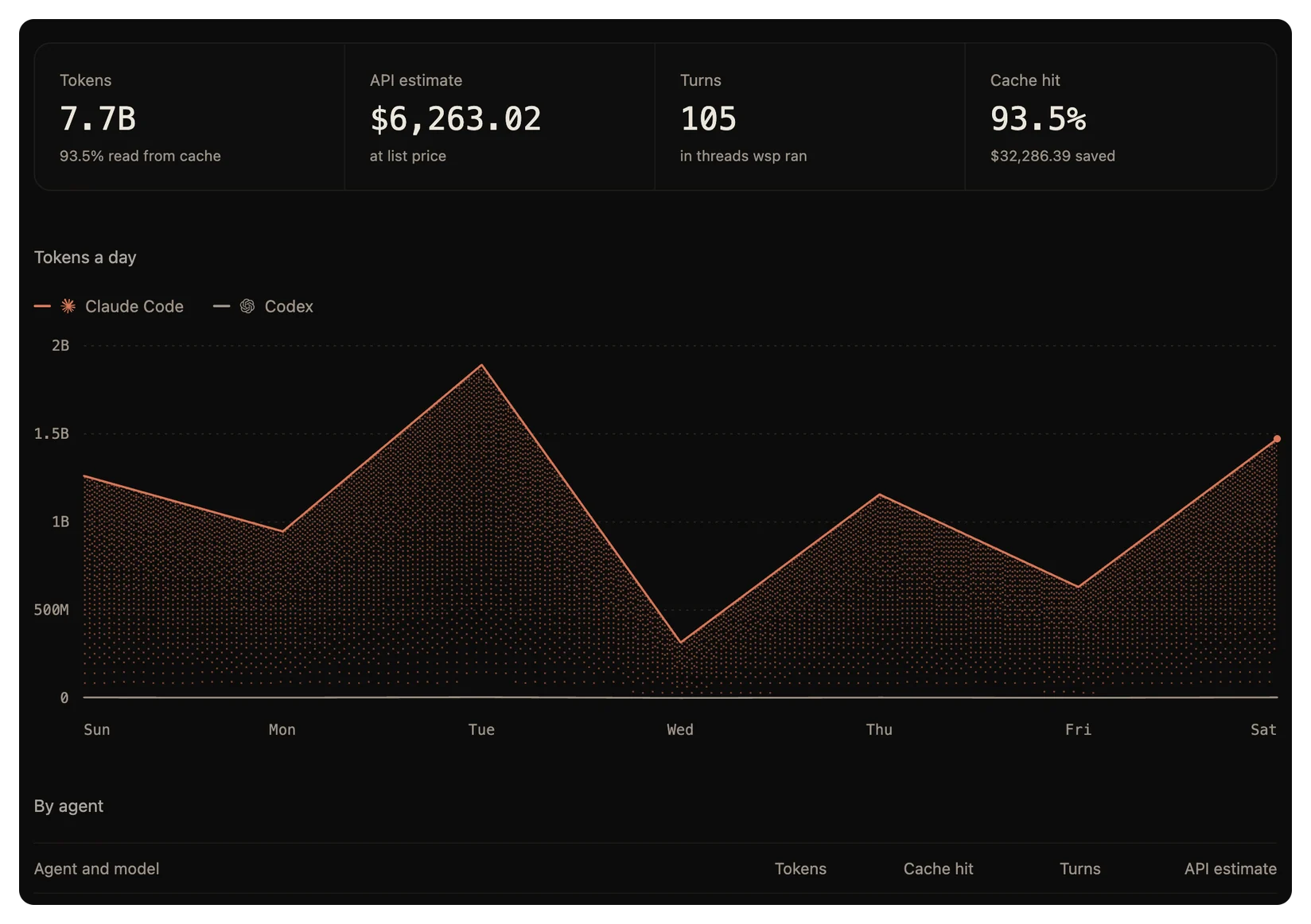
What wsp counts
wsp counts the tokens of every turn it ran. It also reads the logs that Claude Code, Codex and OpenCode keep on each of your computers. So the page also counts the work you did with those agents outside wsp. The line at the end of the page names the agents and the computers it read.
To stop wsp from reading the agents' logs, turn off Agent logs in Settings > Privacy.
The cost is an estimate. wsp prices every token at the list price in LiteLLM's public price table, which the host downloads once a day. If the host is offline, it uses the last copy. A model that is not in the table shows not priced. On a plan, you pay the plan's price, not the list price.
The Usage tab
Pick a range: Today, 7 days or 30 days. Then pick how to split it: Agent, Account, Computer, Project or Model. The page opens on 7 days, split by agent.
The top row has four figures:
| Figure | What it is |
|---|---|
| Tokens | The input and output tokens in the range, and the share of the input read from the cache. |
| API estimate | The cost at list price. |
| Turns | How many turns ran in the range, in threads wsp ran. |
| Cache hit | The share of input read from the cache, and what it saved. |
Under them:
- A chart of tokens an hour for Today, or tokens a day for 7 and 30 days. It has one line for each row of the split.
- A table, By agent or the split you picked, with the tokens, cache hit, turns and API estimate of each row. Split by agent, each agent's models sit under it.
- Where the tokens went: fresh input, cache writes, cached input and output.
The Limits tab
The Limits tab has a card for each agent with the accounts that run on a plan. An account signed in on three computers counts once.
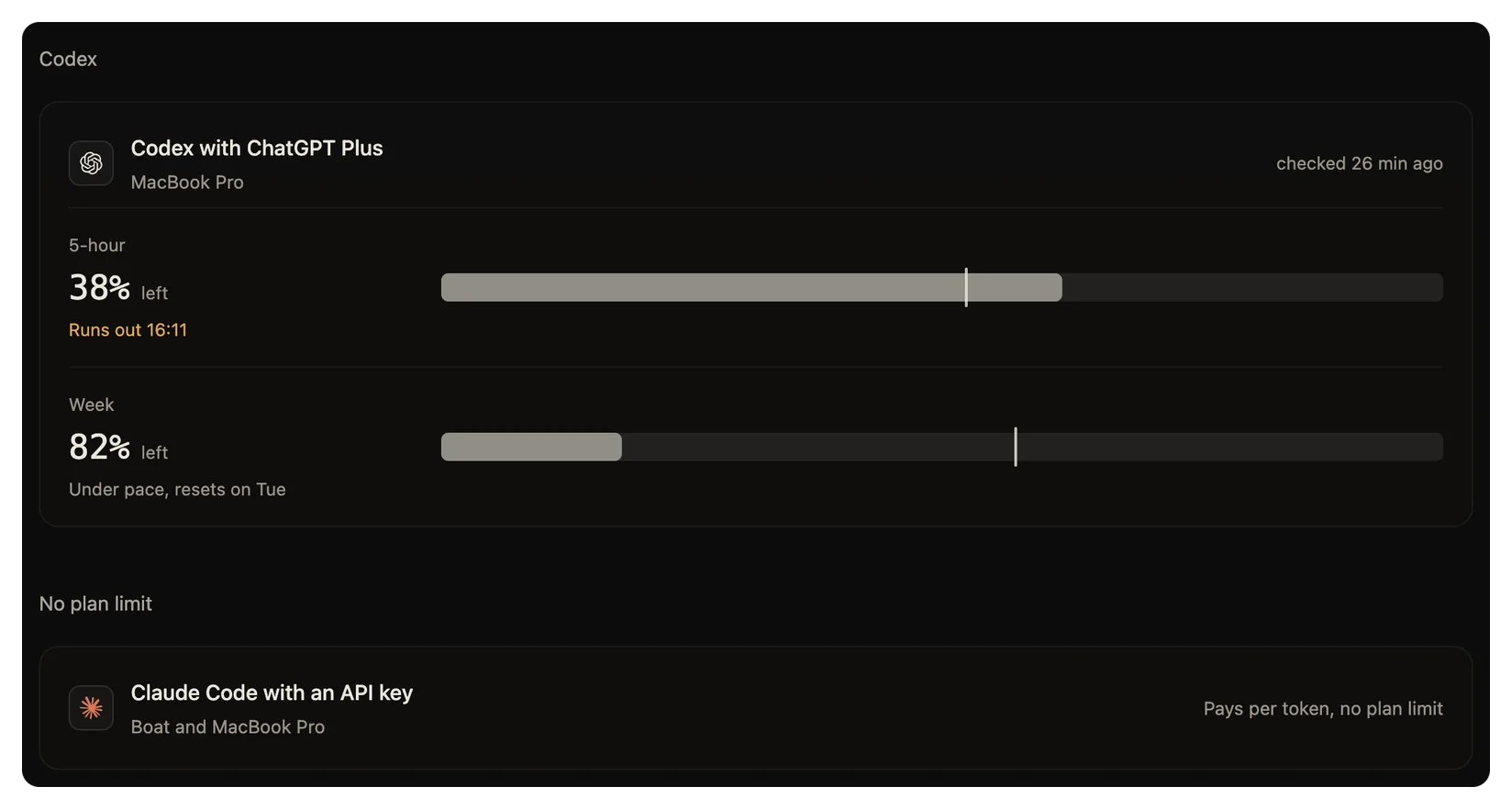
Each card shows:
- The plan's windows: 5-hour, Week, and for some plans Week, Opus, Week, Sonnet or Month. Each window shows how much is left, as a percentage.
- How fast your threads use tokens now, over the last 15 minutes.
- Whether you use the window faster or slower than an even pace, and when the window resets or runs out.
wsp reads these figures from what the agent printed in the last turn wsp ran on that account. An account that no turn ran on yet says not read yet. An account signed in with an API key says pays per token, no plan limit.
Use a banked reset
A Codex account can bank resets. If it has one, the card says how many and offers Use reset. A reset starts the 5-hour and weekly windows again now. There is no undo.
From the command line, run wsp usage reset <account>. It asks first, unless you pass --yes. An agent in a thread cannot run it, since a reset is yours to spend.
When a plan runs out
If an agent's plan limit stops a turn, a bar takes the composer's place and says Usage limit reached. If the agent said when its plan resets, click Resume at reset. The thread then goes on with the turn by itself at the reset.
wsp also sends a notification at 70% and at 90% of a window, and when an account reaches its limit. To turn these off, use When a plan window runs low in Settings > General.
From the command line
wsp usage --range week --by model
--range takes day, week or month, and day is the default. --by takes agent, account, computer, project, model or source, and agent is the default. source splits wsp's threads from the work the agents logged outside wsp.
The command reads the agents' own logs only with --by source. With any other split, it counts only the turns that wsp ran. So wsp usage --by agent can show less than Settings > Usage for the same range, because the page always reads the logs too.
The command prints two tables, the accounts and their limits, then what was used. See wsp usage and wsp usage reset.
