Threads
A thread is one conversation with a coding agent in one project. Each thread is a row in the sidebar. Each message you send starts a turn, which is one run of the agent's process for that message.
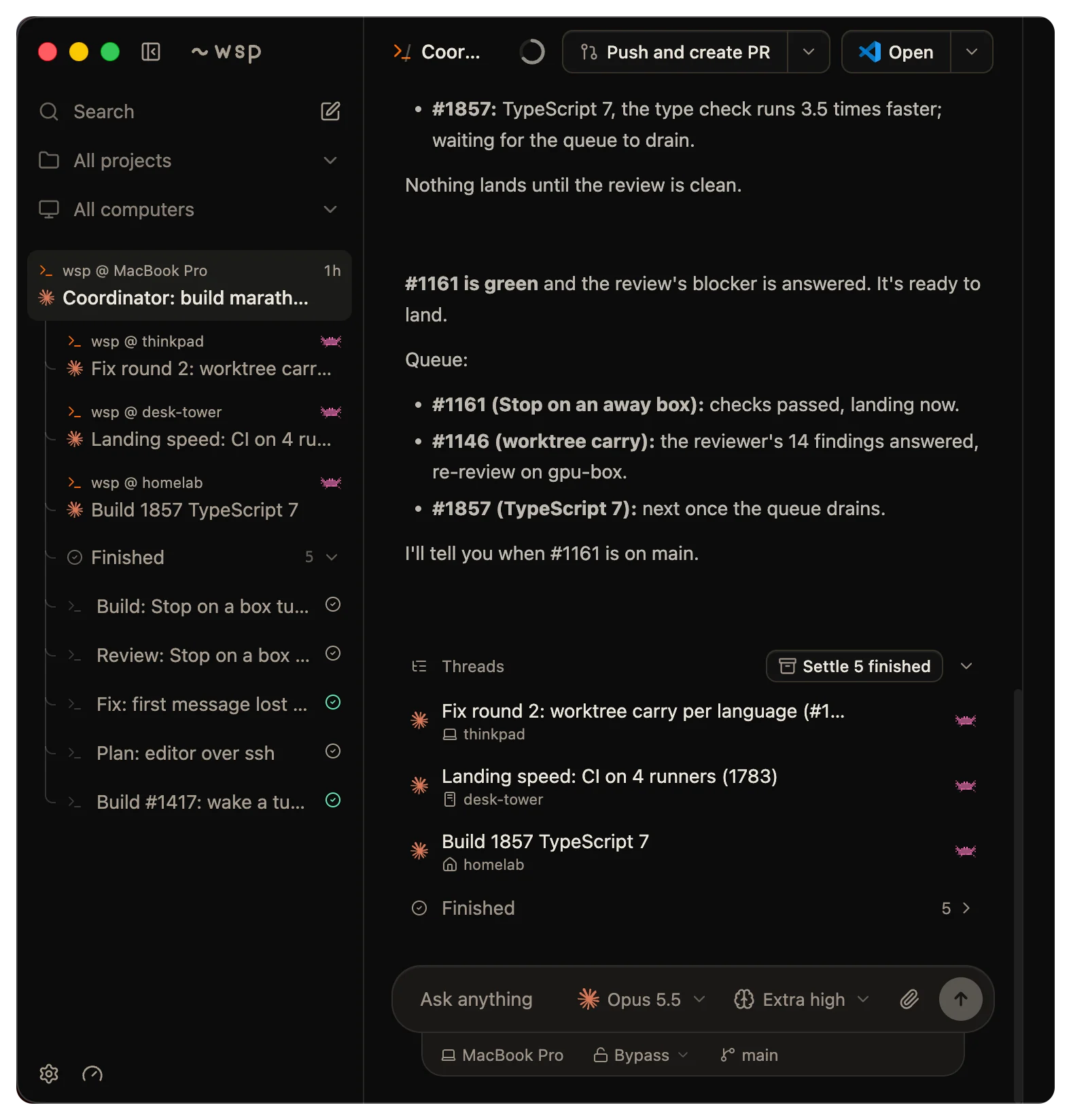
Send a message
Type in the composer and press Enter. Shift+Enter makes a new line.
To send with ⌘ Enter instead (Ctrl Enter off a Mac), open Settings > General and set Send with. The other key then makes a new line.
At the top or the bottom edge of the box, the up and down arrows walk through the prompts you sent before. ⌘ S (Ctrl S off a Mac) stashes the draft. In an empty box, the same keys bring a stashed draft back.
Send while the agent works
While a turn runs, the Send button becomes Stop. Press the send key to send a message anyway. What happens next depends on Settings > General > A message while a thread works:
- Queue is the default. The message waits until the turn ends. Then the oldest waiting message starts the next turn.
- Steer hands the message to the agent now. It reaches the agent at the next tool call of the running turn, and the reply comes in that turn. In the transcript, the hover on that message says "Sent while the agent was working".
Steer works only when the agent takes a message in the middle of a turn, and only for a message with no files. Otherwise the message waits in the queue. Steer never stops the turn.
Waiting messages show as a row above the composer, such as "2 messages waiting", with the first line of the oldest one. Click the row to see each message. Edit puts the words and files back in the box. Cancel drops the message. Press Esc to go back to the box.
Mention files, pull requests and skills
Three characters open a menu in the composer:
@lists the files in the thread's folder. A pick puts@pathin the message, and the agent reads that text.#lists the open pull requests and issues of the project's repository.$lists the skills the thread's agent loads.
If the folder holds more than 20,000 files, the @ menu lists the first 20,000.
Run a command
Type / at the start of the box to see the agent's own commands. The list is what the agent's command line announced when its session started. Commands that work only in the agent's own terminal are left out. The agent's skills are in the same menu, under Skills.
wsp adds one command of its own, /btw. It asks a side question that the thread never keeps. See Side question. Today Claude Code and Codex take side questions. For any other agent, wsp holds the draft and says "takes no side question; drop the /btw to send it to the thread".
Attach files
To attach a file, paste it, drop it on the thread, or click the paperclip. One message takes at most 5 files:
| File | Types | Size limit | Where it goes |
|---|---|---|---|
| Image | PNG, JPEG, GIF, WebP | 10 MB | To the agent, as an image |
| Any other file | Any | 10 MB | Into .wsp-files/<thread>/<send>/ in the thread's folder. The message tells the agent where. |
The .wsp-files folder stays out of git, through the checkout's own exclude file. Your .gitignore does not change.
A paste of 200 lines or more, or of 32 KB or more, becomes a file instead of text in the box.
Some agents take no image. If you attach an image for one of them, wsp refuses the message and says so. Describe the image in words, or use an agent that reads images.
Pick a model and effort
The pickers under the box set the model and the effort for the next turn. wsp reads both lists from the agent's own command line on the computer the thread runs on. Each release of an agent changes them, so this page does not list them.
Read the turn line
While a turn runs, a line at the end of the transcript says what the agent does:
- "Working for" and a timer, while the agent works.
- "Waiting for you" and a timer, while the turn waits on a prompt. See Needs you.
When the turn ends, its steps fold into one line, "Worked for" and the time it took. Click the line to open the steps. A turn you stopped says "You stopped after" and the time.
Stop a turn
Click Stop, the red square in place of Send. You can also right-click the thread in the sidebar and choose Stop thread. From a terminal, run wsp stop <thread>.
A stop ends the running turn. The thread stays. If you stop a lead, every thread under it stops too. See Leads and sub-threads.
Titles
A new thread takes the first sentence of its opening message as its title, cut to 48 characters. During the first turn, wsp asks the agent once, on its smallest model, for a short title, and that title replaces the first one. wsp never replaces a title you gave.
To rename a thread, double-click its title in the sidebar or in the top bar, or right-click the thread and choose Rename thread. From a terminal, run wsp thread rename <thread> "<title>". For an agent whose own store keeps no names, wsp refuses the rename and says so.
Who opened a thread
You open a thread from the app or with wsp run. An agent opens one with wsp run or the run tool. A thread that an agent opened sits under that agent's thread in the sidebar, and its top bar names the thread that opened it. See Leads and sub-threads.
From the command line
wsp run opens a thread and sends its first message. wsp send sends a message into a thread you have:
wsp run lab "Fix the flaky login test."
wsp send 1a2b3c4d "Also cover the codex case in the test."
A send is never refused because a turn runs. Each send has one of four outcomes. The outcome is the outcome field under --json and in the answer of the run and send tools. On stderr, the command line prints a line for it instead:
| Outcome | When | What stderr says |
|---|---|---|
started | No turn runs. The message starts a new turn. | Nothing. |
steered | A turn runs and the agent takes a message mid-turn. The message joins that turn. | joined the running turn. If you named --model, --effort, --access or --fast, the line says the running turn drops them. |
queued | A turn runs and the agent takes no message mid-turn, or the turn replied and its process has not exited yet. The message runs as the next turn. | waiting behind the running turn, then queued behind the running turn; it has ended and this turn started. |
held | The computer runs as many threads as it allows at once. The turn starts when a slot frees. See Computers. | waiting while <computer> is running <n> of <m> threads |
The command line steers whenever the agent can. The Queue setting in the app changes only the composer.
